Affiliate payouts, checked before the money moves.
Pay the right people the right amount. A low bar, rarely cleared.
AffiliateTracking works out your affiliate payouts for you: who's owed, how much, and in which currency. Preview the batch first. Refunds, held sales and missing tax forms are already handled before you send a cent.
Preview matches the real runRefunds nettedHeld sales left out

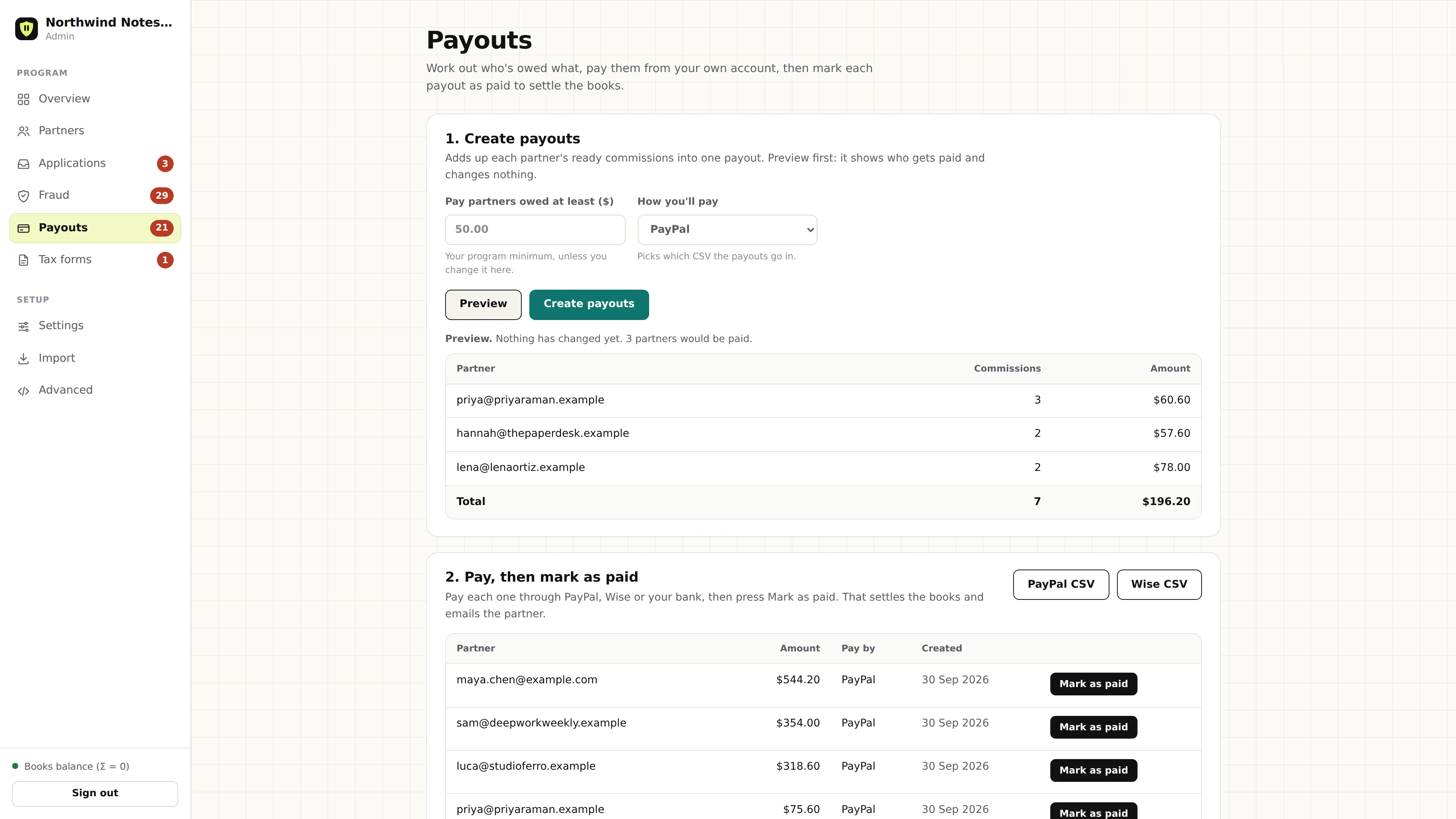
Preview lists who would get paid, and writes nothing. Real screen, demo data.
Pay what's owed, not the gross
What every payout run checks
Before a payout run lists anyone, each commission has to clear five checks. The ones that don't wait for a later run.
- 01Matured sales only
Only commissions past their refund window count. Pending ones wait.
- 02Held sales left out
A commission with an open fraud hold stays out until you release it.
- 03Tax forms checked
A W-9 or W-8BEN that's pending or rejected skips that affiliate this run.
- 04Refunds netted
Clawbacks come off the total, so you pay what's owed.
- 05Minimum met
Anyone under your minimum rolls over. Paused partners wait too.
One payout per currency. An affiliate with sales in USD and EUR gets two payouts. AffiliateTracking never adds amounts in different currencies together.
One run, six affiliates, every rule at work
Here's what a run decides with a $10.00 minimum set for that run. Four affiliates get paid, two wait, and nobody gets paid for a sale that's still under review.
| Affiliate | Currency | What's in it | Amount | Result |
|---|---|---|---|---|
| Affiliate 12 | USD | 23 commissions | $1,289.00 | Paid |
| Affiliate 42 | USD | 9 commissionsminus a $50.00 refund on a sale paid last month | $590.00 | Paid, refund netted |
| Affiliate 31 | USD | 4 commissions2 more on fraud hold, left out | $118.00 | Paid, holds left out |
| Affiliate 15 | EUR | 3 commissionspaid in euros, on their own | €180.00 | Paid in EUR |
| Affiliate 44 | USD | 11 commissionsW-9 still pending | $412.00 | Waits for the W-9 |
| Affiliate 9 | USD | 1 commissionunder the $10.00 minimum | $6.40 | Rolls over |
An illustration of the rules, with made-up numbers. Preview lists the payouts a run would make, per affiliate and currency. Affiliate 42's refund is the one from the refund example on the ledger page.
Honest version
You send the money. The ledger writes it down.
AffiliateTracking tells you exactly who to pay and how much. You pay them the way you already do, then mark each payout paid so the books match.
- 01Create payouts
Press Preview, check the list, then Create payouts. You get one payout per affiliate and currency, each covering whole commissions.
- 02Pay them your way
Download the PayPal CSV or Wise CSV and upload it there, or pay through your bank. Each file lists only payouts that pass every check.
- 03Mark as paid
It checks holds, tax forms and refunds again, then marks the payout paid, posts its journal and emails the partner.
Not yet: sending the money for you. No PayPal, Wise or Stripe connection moves money today. You pay from the payout file yourself, then press Mark as paid in the admin screen, or make the call shown here.
# Mark payout 318 paid once you've sent it
POST /api/v1/admin/payouts/approve
{"payout_id": 318}

# Reply
{"payout_id": 318, "status": "paid"}
Nothing gets paid twice, or paid wrong
Money leaves your account once, so a payout has to be right the first time. These guards run whether you're watching or not.
Checked again at approval
A fraud hold or tax form problem that shows up after the batch stops the payment. The payout goes back to waiting.
Rebuilt if something changed
If you cancel a commission or a refund lands after the batch, AffiliateTracking releases that payout and the next run pays the right amount. Nobody can edit a payout amount.
Written down once
Each payout posts one journal under its own key. A retry finds it and stops, so the ledger never records a payment twice.
Whole commissions only
A payout covers complete commissions. You'll never have a half-paid sale to untangle later.
Never more than owed
The ledger won't let a payout take an affiliate's balance past zero, whatever the batch says.
Every change on record
Payout status changes go into an append-only audit log that nobody can edit.
The other side of payday
Partners tell you where to pay them
Each partner adds a PayPal email, a Wise email or bank details under How you get paid in their portal. You see it as Pay to, next to their payout and in the Mark as paid check. The PayPal and Wise files use it too.
- Stored encryptedAffiliateTracking seals payout details with AES-256-GCM. Only the partner and you can see them, and erasing a partner removes them.
- Asked for, politelyA payout waiting on a partner with no details sends them a sign-in link to add them. At most once a week, and never after they've added them.
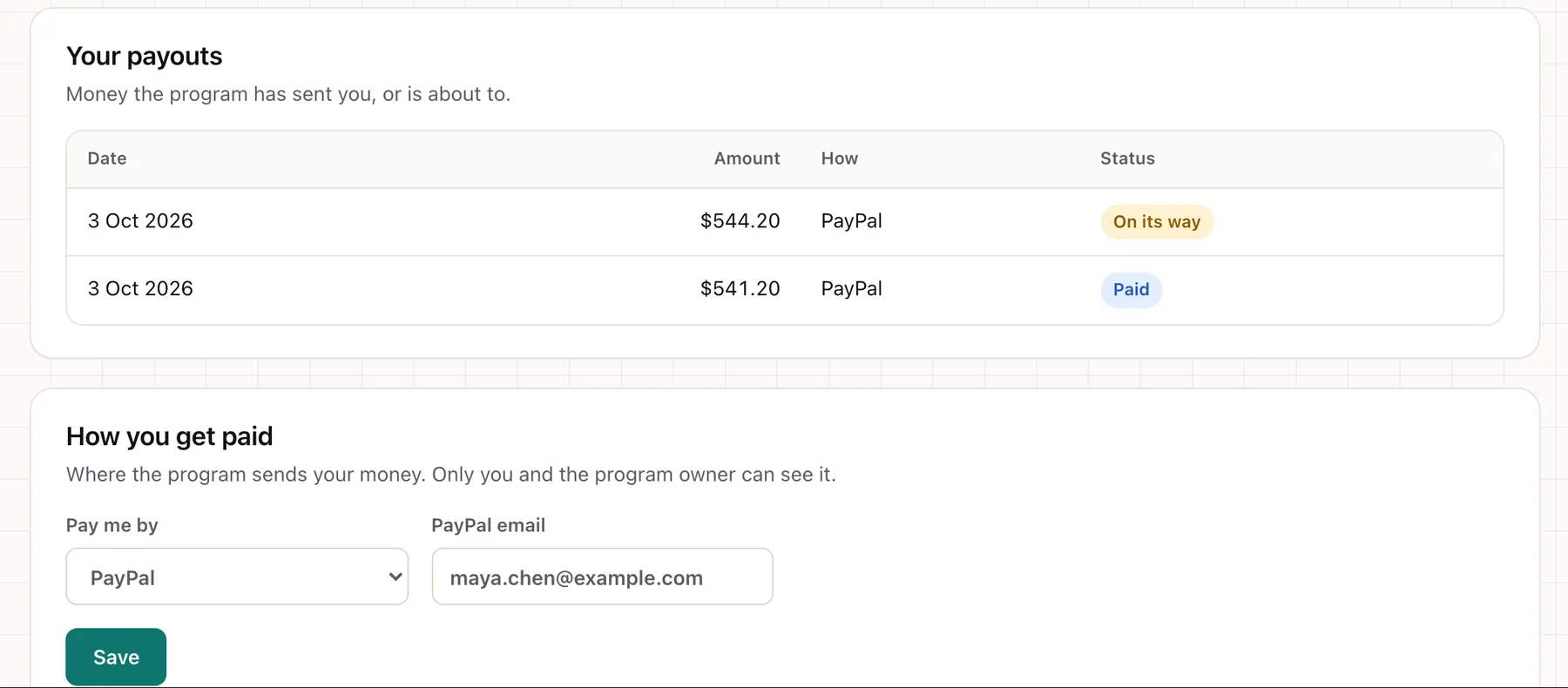
- No "where's my money?" emailsThe Your payouts list shows each payout's date, amount, method and status: On its way, or Paid.
Paperwork before payday
No tax form, no payout
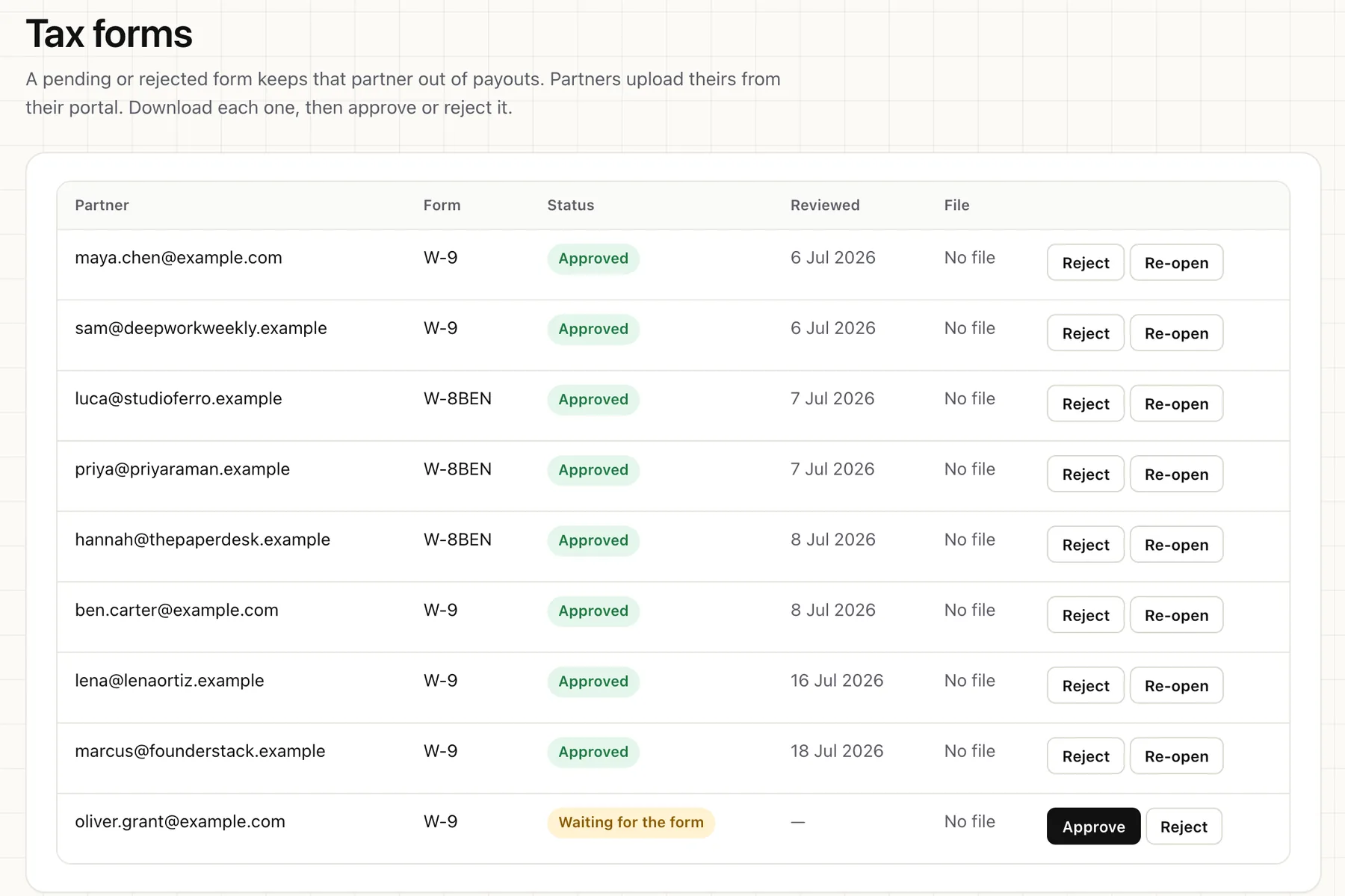
Affiliates upload their form in the portal and you approve or reject it. Pending or rejected means that affiliate waits. The other three mean they get paid.
pendingWaitsYou've asked, it isn't in yet.rejectedWaitsIt came in wrong. Ask again.receivedGets paidIt's in, not reviewed yet.validatedGets paidYou checked it.not_requiredGets paidThis affiliate doesn't need one.Form types: W-9W-8BENW-8BEN-EOther
- Uploaded, then encryptedAffiliates upload a W-9, W-8BEN or W-8BEN-E PDF, up to 5 MB. It's stored sealed with AES-256-GCM. You download it, then approve or reject it. A new upload goes back to pending.
- Affiliates know whyWhen a form blocks payment, the affiliate sees a note in their portal saying payouts are on hold until it's in.
- Checked twiceA form marked pending after the batch still stops the payment at approval. Every status change goes into the audit log.
Payouts FAQ
How do I pay affiliates with AffiliateTracking?
Preview a payout batch, then create it. Pay each amount through the PayPal or Wise file, or your bank. Then press Mark as paid, and AffiliateTracking records it in the ledger and emails the affiliate.
Can AffiliateTracking send PayPal or Wise payments for me?
Not yet. Nothing in AffiliateTracking moves money today. It works out who to pay and how much, and you send the money yourself.
What's the minimum payout?
$50.00 unless you change it in Settings. You can set a different minimum per currency, and change it for one run. Anyone under it rolls over to the next run.
How often do payouts run?
Whenever you run them. There's no automatic schedule, so if you pay on the 1st of every month, you run the batch on the 1st.
What happens to commissions under fraud review?
A payout run leaves them out until you release the hold. If a hold lands after the batch, approval stops that payout. Upheld ones never get paid. See how fraud holds work.
Can I pay affiliates in different currencies?
Yes. Each currency gets its own payout, so an affiliate with USD and EUR sales gets two. AffiliateTracking never adds different currencies together.
What if a refund comes in after I've paid?
The refund comes off that affiliate's next payout. If they owe more than they've earned since, they get nothing until new earnings cover it.
Which plans include payouts?
All of them. Payouts, refund netting and tax form checks are never locked to a plan. You can compare self-host and cloud plans.
Know the number
before the money moves.
Self-host for free, and every payout run starts with a preview. Or let us run it for you.