The AffiliateTracking product tour: one sale, start to payout.
This AffiliateTracking product tour follows one sale through the whole product, on real screens with demo data. Six stops, about three minutes.
6 stopsReal screens, demo dataAbout 3 minutes


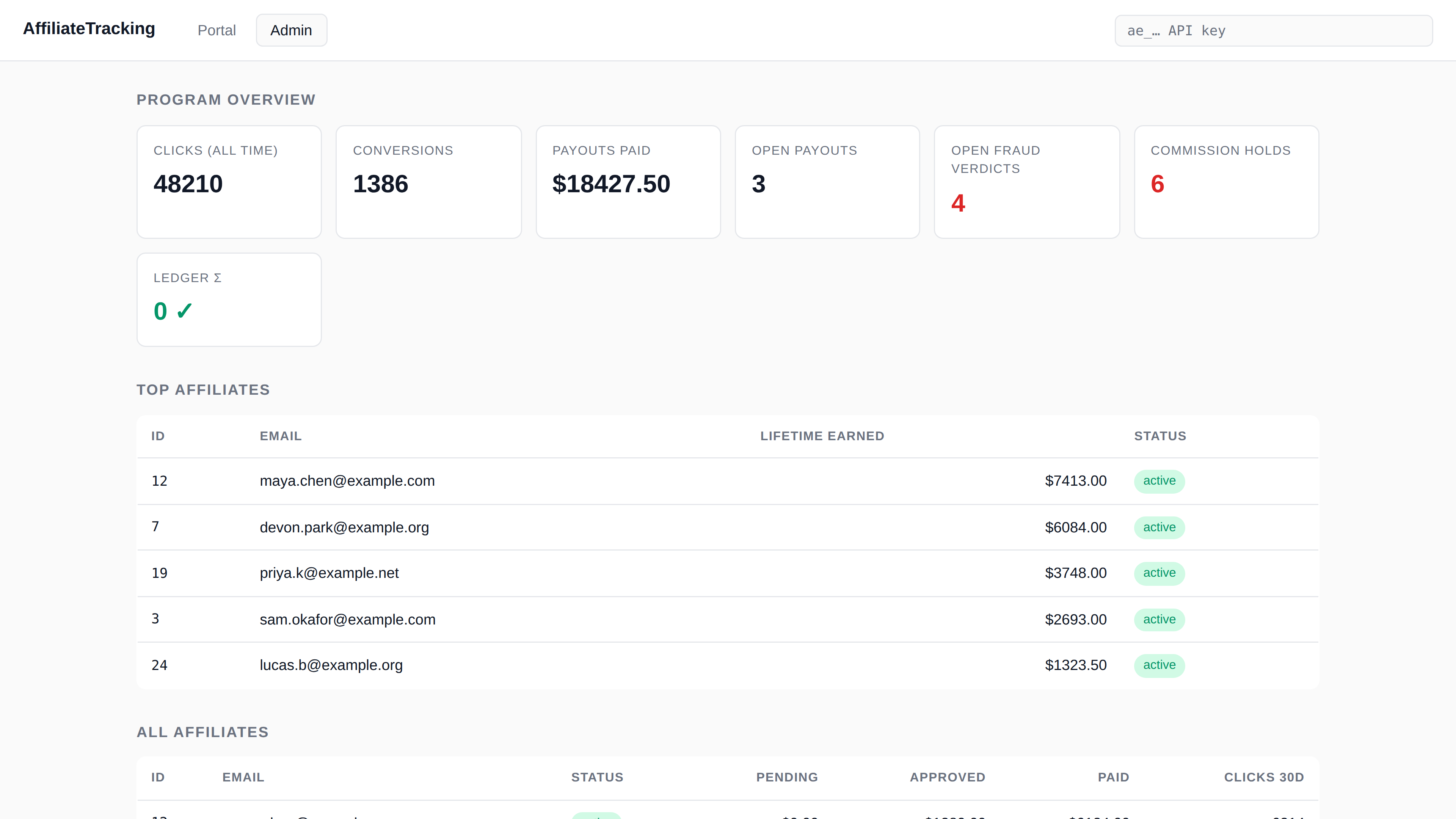
The admin overview, on demo data. The six stops start below.
Stop 1
Jane shares her link, and someone clicks
The link records the click, checks it for bots and datacenter traffic, and lands the visitor on your pricing page with a signed token.
One script tag on your site keeps that token for your attribution window. On Stripe Payment Links it's passed to checkout with no extra code. Every billing tool's setup is one step more at most.
yourbrand.affiliatetracking.co/r/jane?dest=yoursite.com/pricingclick 48,211 · source: newsletter · not a botyoursite.com/pricing, token saved for 30 days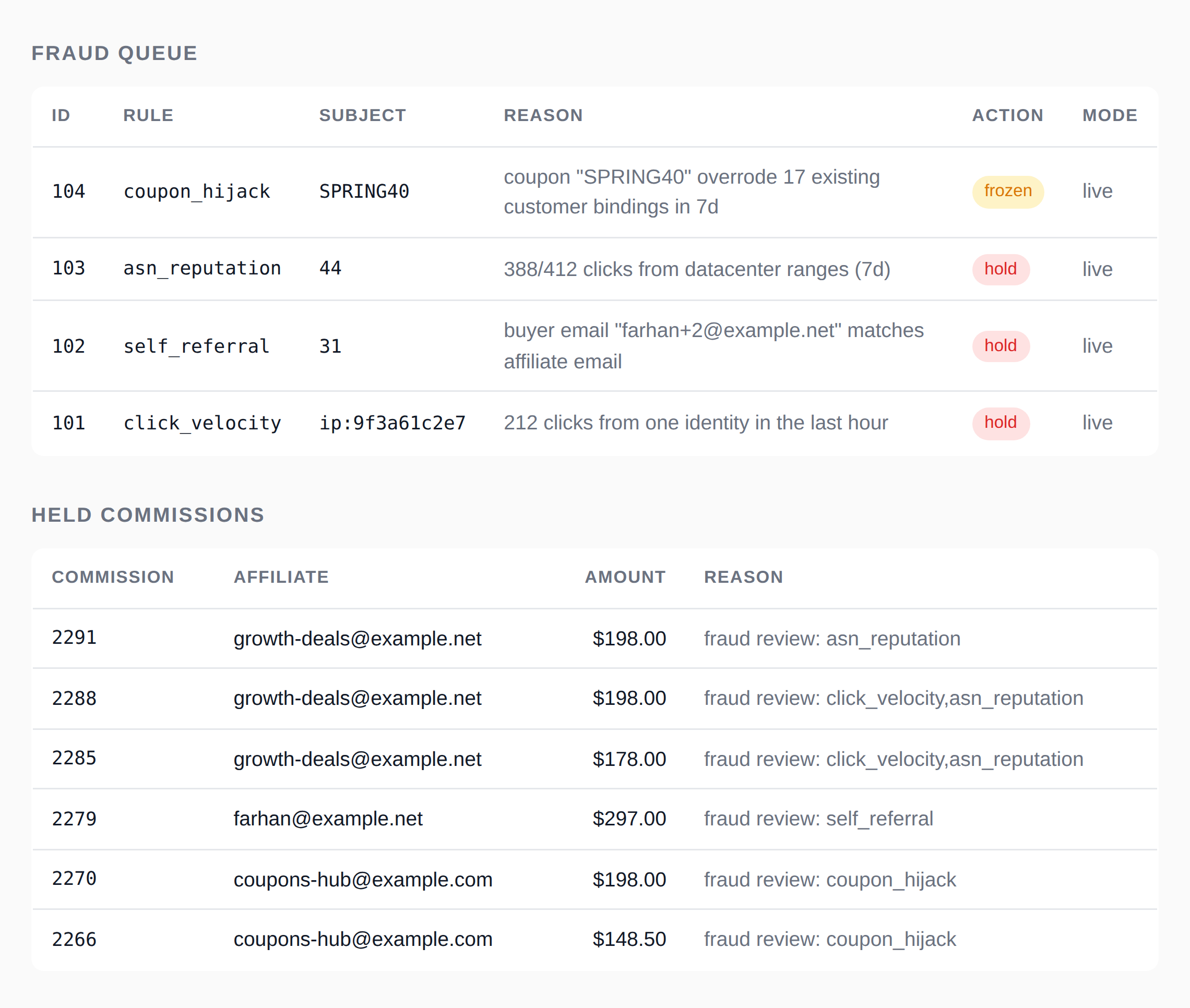
Stop 2
The sale arrives, and 13 rules run
Your billing tool sends the sale. Before it credits a cent, AffiliateTracking checks it against 13 fraud rules: self-referral, duplicate accounts, coupon hijack, click velocity and more.
Most sales pass and credit right away. This one used a coupon that leaked to a deal site, so a rule fired.
Stop 3
The money waits, with the evidence
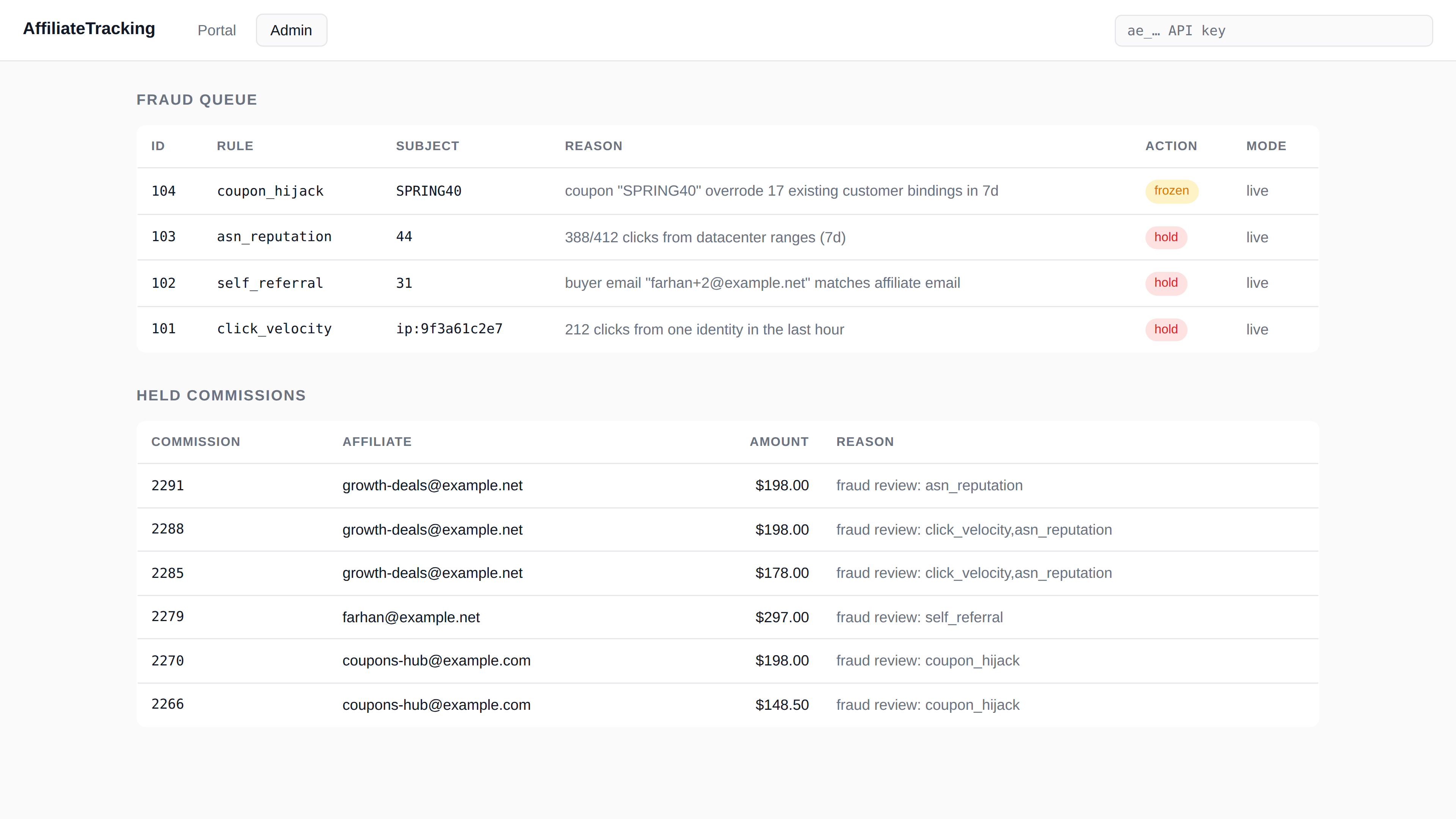
The commission waits instead of paying out. The verdict says which rule fired and why, so you can decide in a minute instead of digging.
Release it and it's paid on the next run. Uphold it and the commission goes, with the ledger showing exactly what came back. Every rule and what it catches.
Stop 4
Every cent lands in a ledger that balances
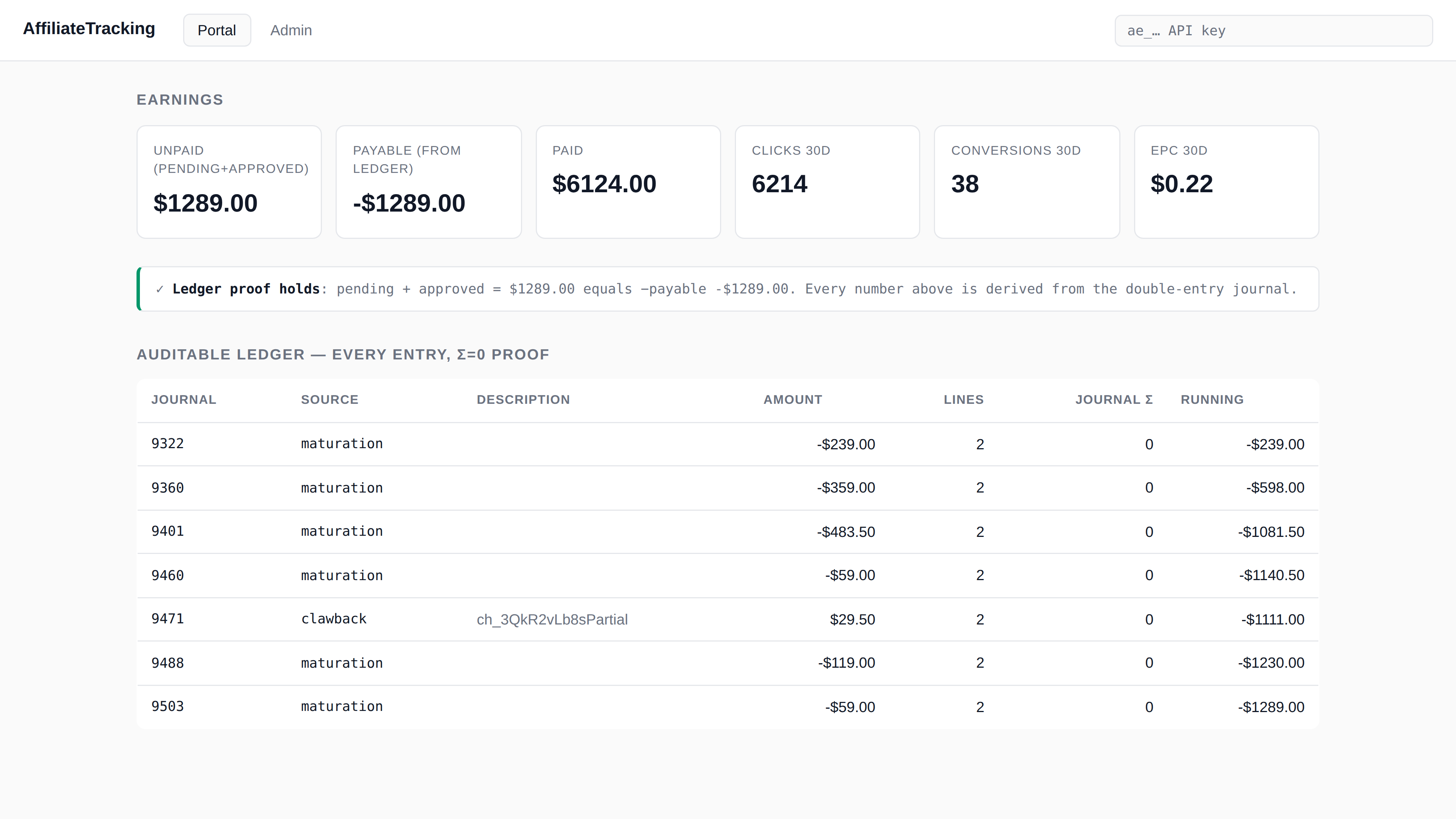
Clean sales become journals: money moves from expense into a 30-day hold, then into what you owe the affiliate. Every journal's lines sum to zero.
A refund posts its own journal and takes back the same share. Nobody edits a journal after the fact. A worked sale, journal by journal.
Stop 5
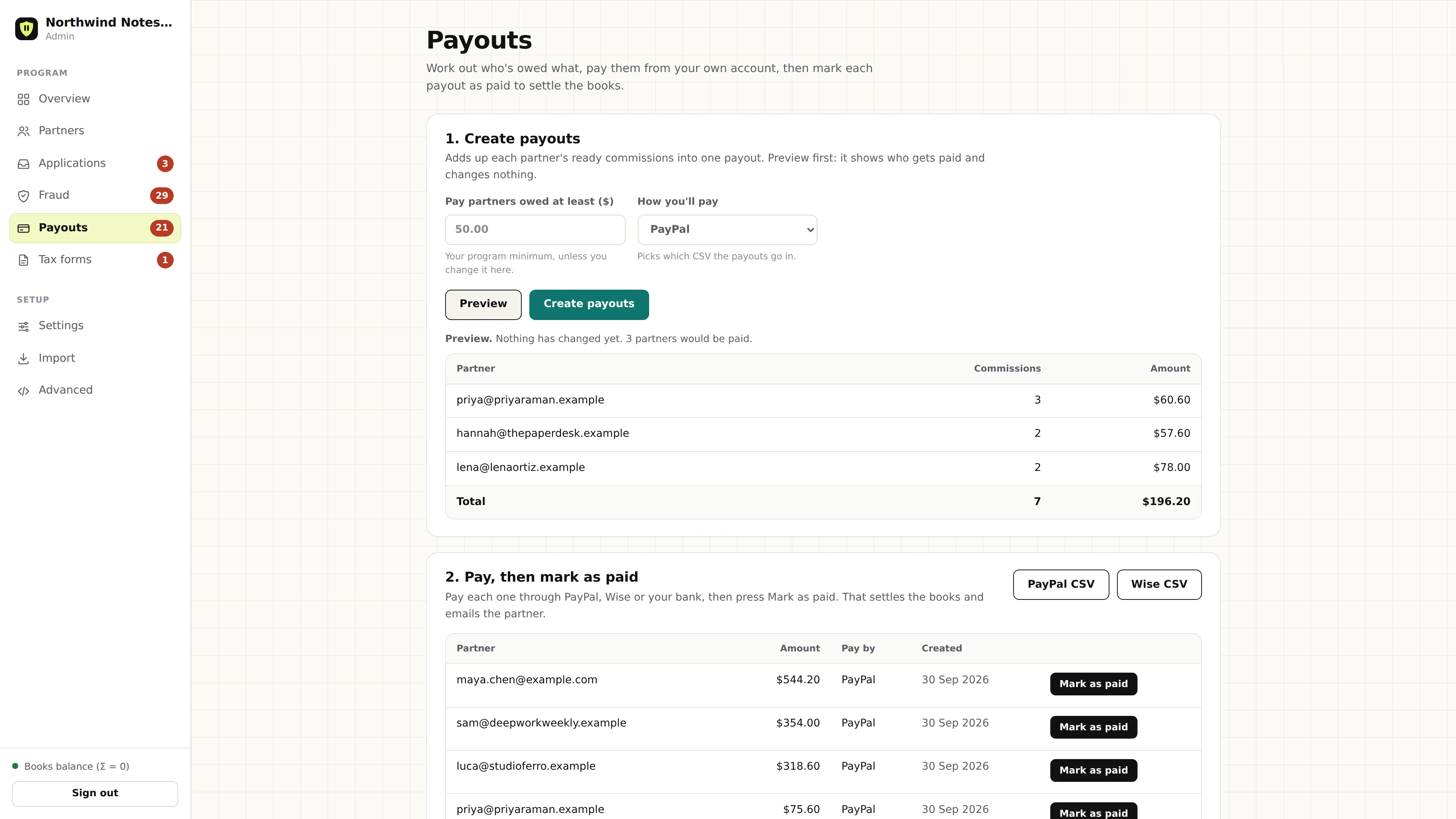
Payday starts with a preview
Pick a minimum and press Preview first. You see who'd be paid and how much, with refunds already netted and held sales left out. Nothing changes until you press Create payouts.
Then you pay through the PayPal or Wise file, or your bank, and press Mark as paid so the ledger records it. What a payout run checks.
Stop 6
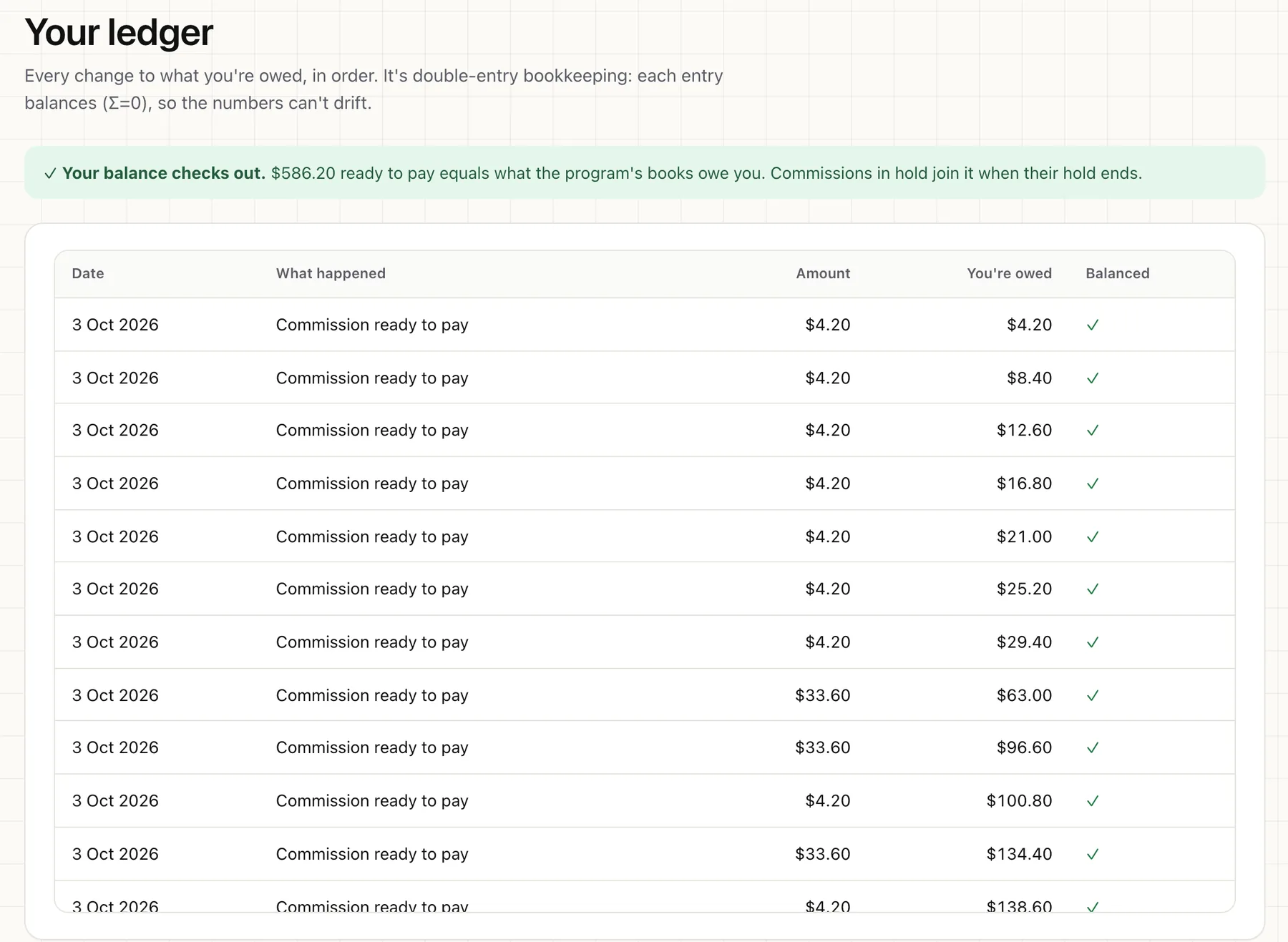
Jane sees the same numbers you do
Her portal shows what's in hold, what's ready for her next payout and what she's been paid, from the same ledger. A green line confirms her balance matches the books.
She can build links to any allowed page and tag them by source, so she knows which of her posts sells. She adds where she wants to be paid, and her payouts list shows each one as On its way or Paid.
That's the tour.
Now try it on your sales.
Self-host for free: the code is open source. Or let us run it for you.